You already took the pictures. Then the inspector, homeowner, insurer, sponsor, or family member asks for everything in one place—with context—and nobody wants your entire camera roll dumped into their lap.
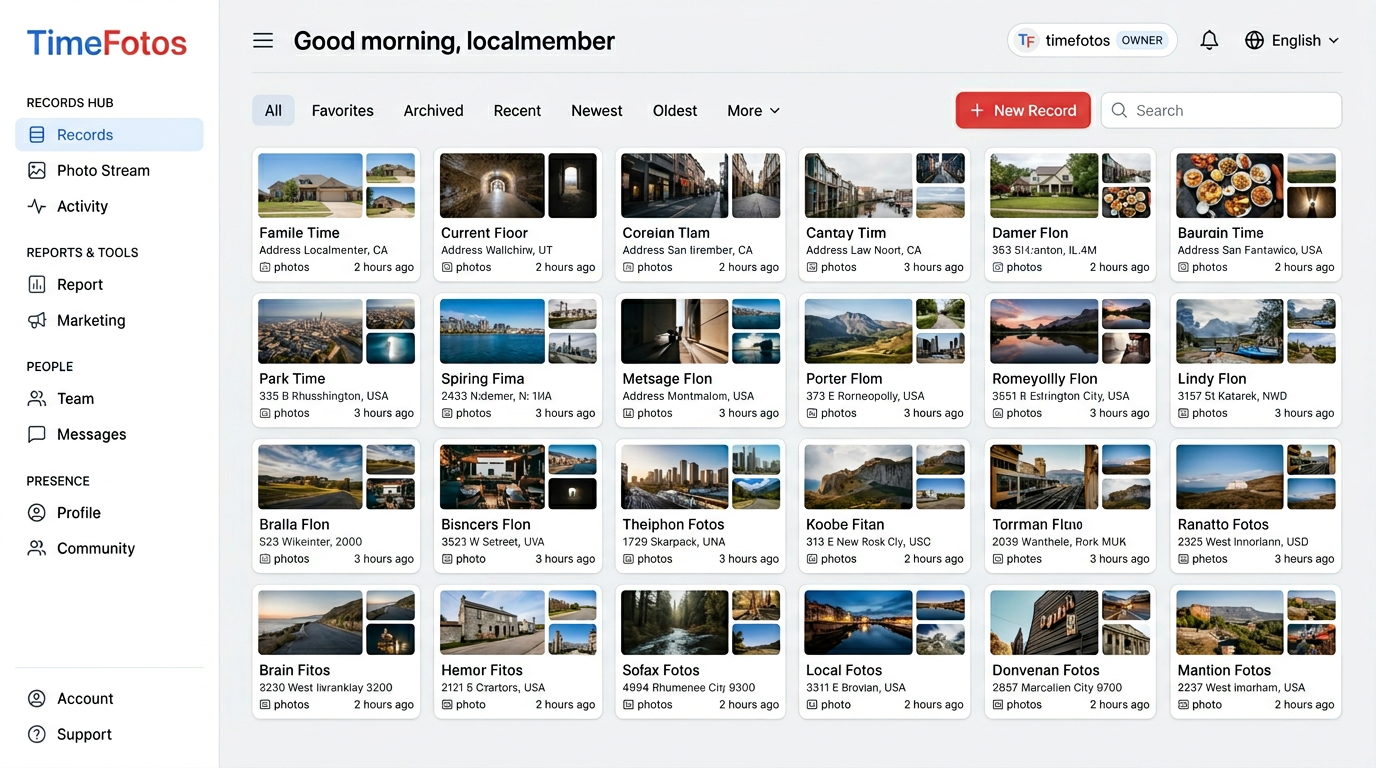
TimeFotos Cloud is the paid upgrade on your TimeFotos account: camera-to-cloud recordkeeping. You name each happening you care about (a job, walkthrough, party, inspection, milestone), and it becomes a single file you can stand behind and share.
- Shoot on iPhone or Android.
- Finish the packet in the browser—PDFs next to photos, markup, tags, labels.
- Send one read-only link; clients and colleagues open it in a browser with no extra app required on their side.
- Same login across phone, tablet, and web.
The full product story, demos, and FAQ live on the TimeFotos Cloud hub. To pick a tier that matches how much you document, see Plans & pricing.
Who this is really for
You wear a trades or service hat: progress photos, delivery proof, roofs, drywall, installs—anything where “trust me” is not enough. You need a packet you can send to the homeowner, GC, or adjuster without twelve forwards.
You run events or operations: volunteers, vendors, sponsors, safety walkthroughs—people who need one certified slice, not access to everything on your phone.
You anchor family milestones: parties, reunions, school seasons, caregiving—albums and labels that still make sense next year when someone asks which weekend Grandpa was in town.
You are allergic to scavenger hunts: proof split across messages, email attachments, Downloads, and a drive nobody names the same way twice. Cloud folds that into one workspace per happening.
Free TimeFotos stays the place for connecting in your community. Cloud is for when the record has to hold up under someone else’s questions.
What you actually do in four steps
1. Name the happening once
You open a file for the job, event, or milestone. That becomes the official inbox for photos, scans, and PDFs—so your team stops asking which thread had the parking map or the permit photo.
2. Capture from the field with context baked in
You document as you go. Date and time travel with the shot. When the story needs it, GPS, place or address, and weather at the moment of capture can ride along—so the image still answers where and when long after you packed up.
3. Build the packet your client expects
Highlight what matters on the photos—draw, circle, label—and drop PDFs beside the frames they belong to (permits, receipts, contracts, waivers). Tags and labels keep a busy calendar searchable instead of thumb-exhausted.
Keep conversation and notes on the album so everyone sees the same facts, not fragments buried in chats.
4. Deliver a read-only link
Share one read-only browser link. They see what you certify; everything else stays private—no begging them to download another app just to approve your documentation.
What you get out of it (beyond another gallery)
- Fewer apologies Monday morning because the packet already exists under a name everyone recognizes.
- Faster approvals—clients skim one link instead of juggling attachments.
- Cleaner handoffs between office and crew—the record lives in Cloud, not in five people’s camera rolls.
- Room to grow: add Cloud when lightweight posting stops being enough; your TimeFotos account stays one front door.
Small habits, big payoff together
Wide plus tight shots and boring filenames still help. Our album organization and jobsite organization guides cover that rhythm. Cloud gives those routines somewhere credible to land—a shelf your office admin, spouse, crew lead, or client can open without unlocking your personal camera roll.
Your next click
Ready to try it?
- Everything about TimeFotos Cloud—captures, web workspace, sharing, teamwork.
- Compare plans—pick what matches how often you ship documentation that has to stick.
Questions about stamped capture or workflows in the trades? Read timestamp photo apps or jobsite photo apps, then add Cloud when you want proof you can publish, not prove over text.